Shopify Theme for Jewelry Brands: What to Look For
Jewelry sells on detail and trust. Seven things to check in a Shopify theme before you buy, from product galleries to mobile buy bars.
A jewelry customer cannot pick the piece up. They cannot check the clasp, feel the weight or see how the stone catches the light. The product page has to do all of that work, on a phone, in a few seconds. That is why a theme that looks beautiful in a demo can still be the wrong one for a jewelry brand: the demo is full of fashion shots and long catalogues, while your store may have twenty pieces and a handful of very good photographs.
This is a checklist, not a ranking. It covers what to look for, how to test it, and how to be honest with yourself about whether you need a paid theme at all.
Why jewelry is a different theme problem
Three things set jewelry apart from most other products.
First, size is invisible. A necklace photographed on a neutral background could be 40 cm or 60 cm. The theme needs room for worn photos, close-ups and clear measurements.
Second, variants carry meaning. Metal, stone colour, chain length and ring size are part of the product's identity, not minor options. The way variants are shown matters.
Third, ranges are often short. Many independent jewelers sell between ten and fifty pieces. Themes built for large catalogues lean on filters, mega-menus and dense grids that look empty or fussy with a small range.
Seven things to check
1. Gallery and zoom
Open a product page in the demo and look at the gallery before anything else. You want large images, a zoom that is actually useful for detail work, and support for video. A short video of a bracelet moving in light is often worth more than a fourth still photo. Check how the gallery behaves on a phone: a full-width carousel is usual, and it should be easy to swipe without scrolling the page by accident.
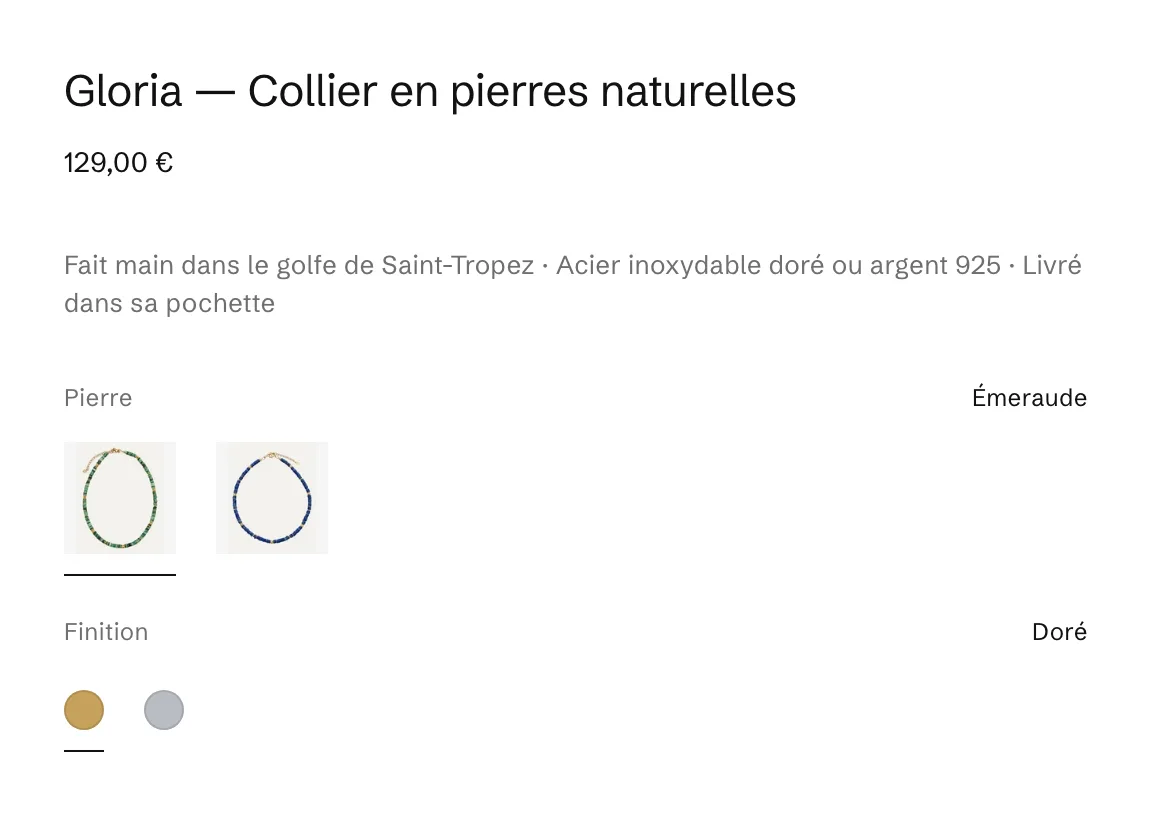
Also check what happens when a customer picks a variant. Good themes jump the gallery to the image of the chosen variant, so a customer who selects the green stone sees the green stone.
2. Variants
Look at how colour, size and length are displayed. Colour swatches and image thumbnails read faster than a dropdown for stone colours. For ring sizes, a simple list or buttons is fine. Try changing a variant and watch whether the page reloads, whether the price updates, and whether the URL changes (useful for sharing a specific variant).
Also check what happens when a variant is sold out. Does the button turn into something helpful, or does the customer simply find a dead end?
3. Size guide and care information
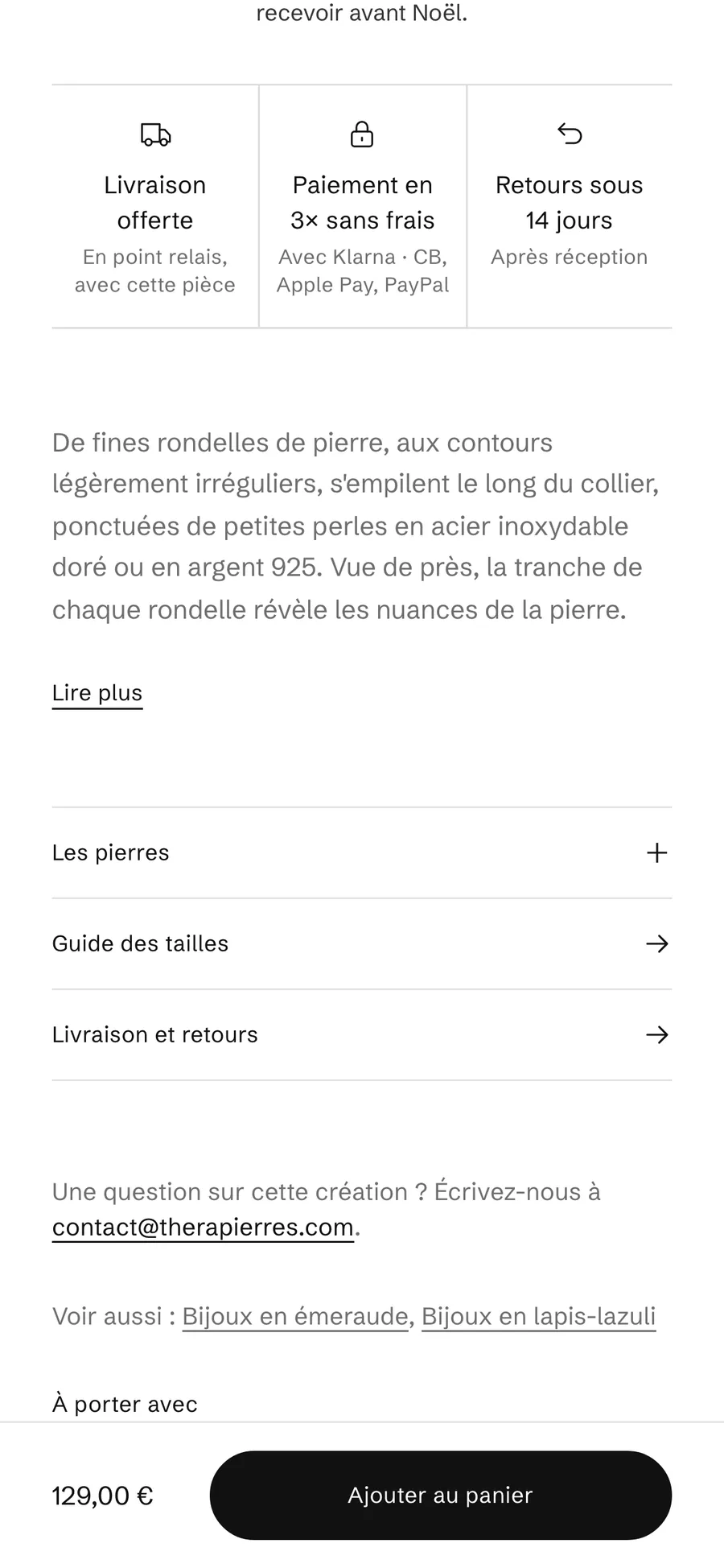
Jewelry pages carry more small, important text than most: materials, dimensions, care, shipping, returns, and often a size guide. Themes that provide collapsible rows or slide-in drawers let you hold all of this without making the page long. A size guide in a drawer keeps the customer on the product page instead of sending them away.
One practical warning: some themes ship these blocks empty, and an empty block simply does not appear. You have to fill them in or delete them, so budget time for the writing.
4. Mobile buying
Most of your visitors will arrive on a phone. Look for a purchase area that stays reachable as the customer scrolls, such as a price and button pinned to the bottom of the screen, and for express payment buttons that let a customer check out quickly. Test it in the demo on your own phone, not in a desktop browser narrowed to phone width.
5. Collection pages with a short range
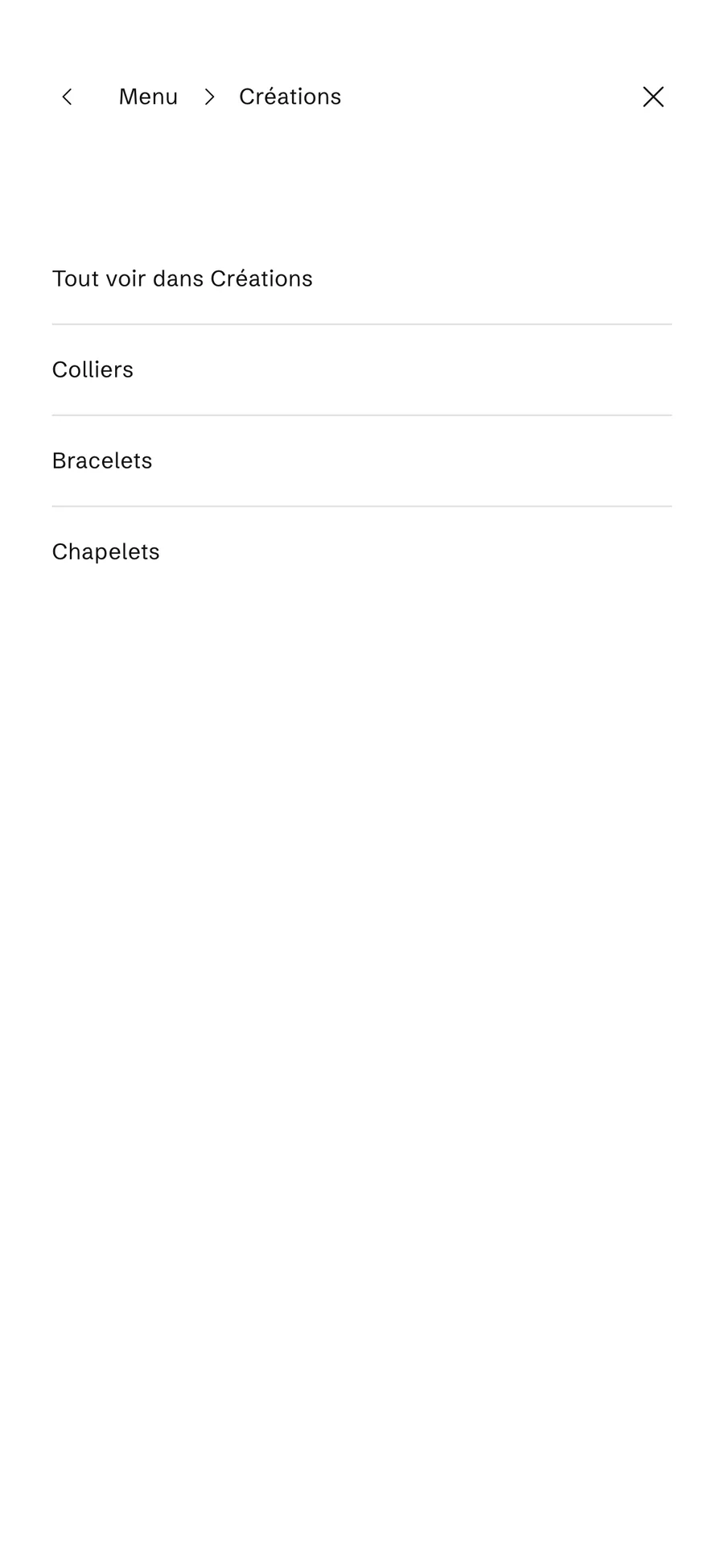
Browse a demo collection and imagine only six pieces in it. Does the grid still look composed? Are the product cards clean enough to carry a bracelet photographed alone? Filters are valuable once a catalogue grows, but they should be optional, not a permanent sidebar that eats space on a small range.
6. A homepage that carries the brand
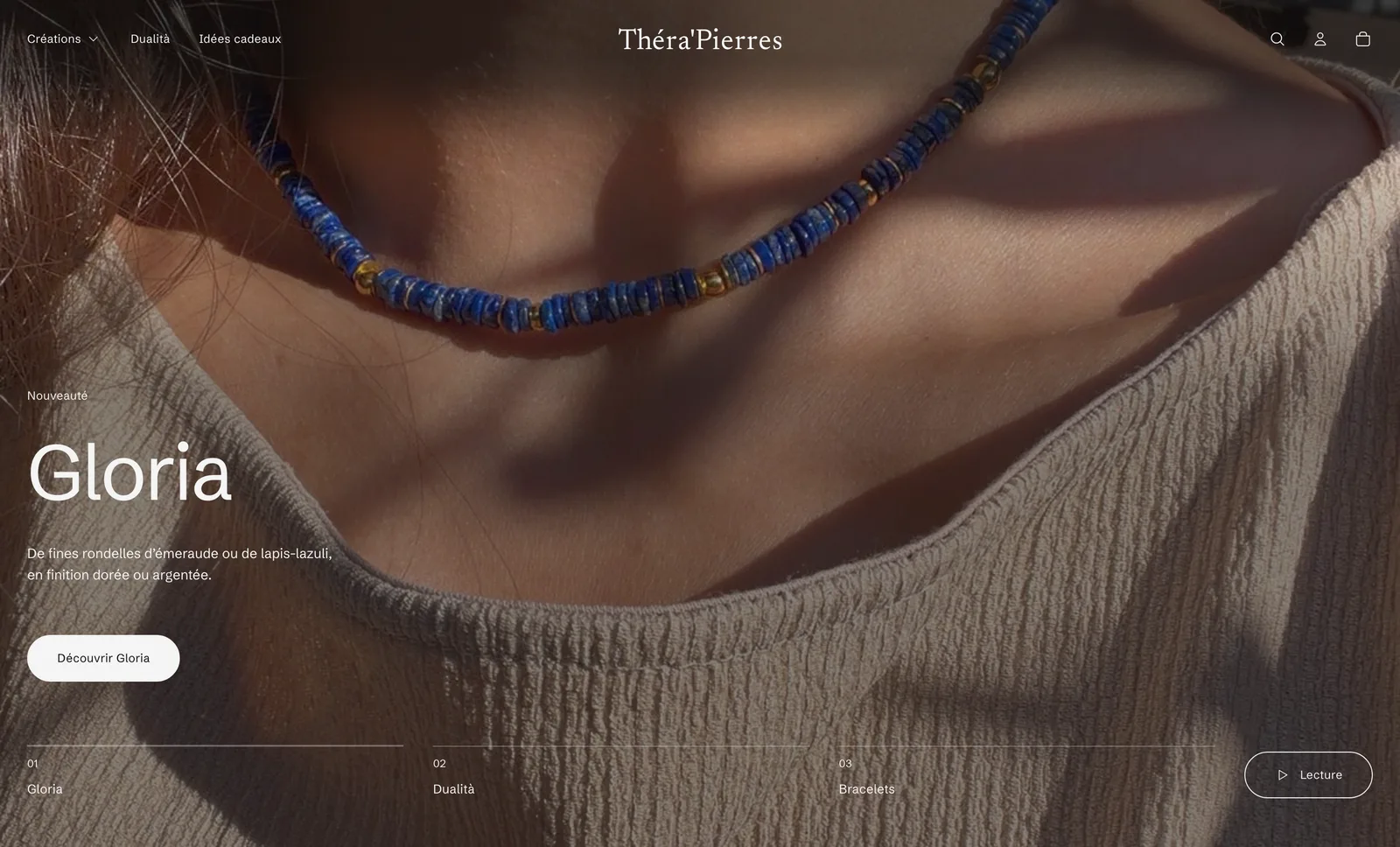
A jewelry homepage should feel like a window, not a catalogue. Look for a strong opening section, room for one or two featured pieces with real space around them, a section for your story or workshop, and an editorial or journal block if you plan to publish. The test is whether you could build this homepage with your own twenty images and still have it look intentional.
7. Weight and apps
Every feature a theme builds in is a feature you do not need an app for, and every app you add costs loading time. Ask what the theme includes natively (swatches, filters, gift options, multi-language) and what it leaves to apps (reviews, subscriptions, size guides are common examples). Neither answer is wrong. Just count what you actually need.
A free or paid theme can both be fast or slow depending on how you configure it, so do not rely on a claim in a sales page. Run the same speed test on the same page of each theme you consider, and compare like with like.
Free, premium, and where Faubourg fits
Shopify's free themes, Dawn above all, are a legitimate starting point. Dawn is Shopify's reference theme: it is free, widely used, and generally regarded as solid on performance. Its limits for jewelry are mostly about character. The default look is neutral, and giving a store a distinct identity takes more work. Paid themes tend to offer a stronger visual direction and more built-in options, at a price that is usually a one-off fee. Some are packed with promotional features like banners and timers, which can be useful for a large promotional store and unnecessary for a small, quiet brand.
Faubourg, the theme we make at Maison, is deliberately narrower. It is built for brands with a short range: jewelry, fashion, accessories, objects. From its documentation, what is relevant here: a product page with zoom, video and 3D model support, variant swatches and image-based variant pickers, a gallery that follows the chosen variant, collapsible rows and drawers (for a size guide, for example), a gift-wrap block, a pinned buy bar on mobile, and express payment buttons. It supports the languages available in the Shopify admin and has sections for the homepage including a journal block. Collection filters rely on Shopify's own Search & Discovery app.
The price is €79 excl. VAT for one store and €199 excl. VAT for up to five stores, paid once; VAT is added at checkout according to your country (Faubourg on Gumroad). Updates are free and delivered through Gumroad. Faubourg is a digital product, so a purchase is final. Support is included, answers within two business days, and covers using the theme and fixing bugs. It does not cover custom code changes (support).
If you want to see it in a real store, therapierres.com sells necklaces, bracelets and rosaries in natural stones using Faubourg. It is one example, not a promise of results: your photos, your texts and your prices will matter far more than any theme.
When is Faubourg not the right choice? If you run a very large catalogue with heavy filtering needs, if you rely on built-in promotional tools, or if you plan to customise the code deeply, look elsewhere. And if Dawn or another free theme already does what you need, keep it.

A 20-minute test before you buy
- Pick five of your real products and write down what you need on each page: dimensions, materials, care, size guide.
- Open each candidate theme's demo or preview on your phone.
- Find the product page, change a variant, open the zoom, and look for where your care and size information would go.
- Look at a collection with only six items.
- Run the same speed test on the same page in each demo. Compare the numbers loosely, because demos are heavier than a real small store.
- For paid themes, check what support covers before you pay. Customisation is often outside the scope.
- Decide which one lets you show your own photos best. That is the whole point.
FAQ
What is the best Shopify theme for jewelry?
There is no single best theme. The right one depends on your range size, your photography and how much identity you want from the design. A short range with strong images suits a quiet, product-led theme. A large catalogue suits one with strong filtering.
Do I need a paid theme to sell jewelry on Shopify?
No. A free theme such as Dawn can run a jewelry store. A paid theme is worth considering when you want a more distinctive look or specific product page features that the free option lacks.
Will I lose my products if I change theme later?
No. Products, collections and pages live in your Shopify admin, not in the theme. What you do rebuild is the theme's layout and settings, such as the homepage sections, and any app blocks placed in templates.